Unwired Edge Cloud OS
The Unwired Edge Cloud OS is a cloud-based operating system for efficient, secure, and scalable management of your edge and IoT devices
Whether it is MIPS, ARM, x86, or PPC – our Linux/OpenWRT-based software focuses on openness and flexibility. Once installed on your edge network devices, they connect to the Unwired Edge Cloud in seconds, equipping your devices with state-of-the-art connectivity and orchestration features.
Hint
Unwired Edge Cloud OS is tested for compatibility to 30+ industrial devices and 20+ modems.
Firmware Updates
Unwired Edge Cloud OS Updates are published regularly and frequently to include:
Security updates
Improvments to baseband firmwares of supported modems
Improvments to baseband firmwares of wireless chipsets
Maintenance updates of important Linux networking packages
Unwired features and improvments
Container runtime and orchestration features
Modem handling improvements
Networking improvements
and many more
Firmware Features
The Unwired Edge Cloud OS contains many features built to interact securely with the Unwired Edge Cloud infrastructure.
SMS Streamer
The Unwired SMS Streamer is used to send SMS telemetry data to the Unwired Edge Cloud and is included in the Unwired Edge Cloud OS for all devices equipped with modems.
It handles the full lifecycle of the SMS, from reception to cleanup. Its main purpose is to ensure SMS data reaches the Unwired Edge Cloud so that an operator is able to monitor incoming SMS, such as impending contract renewals, data limit alerts, or roaming status.
Warning
Some Modems have limitations in regards to the number of stored SMS, so only some SMSes are kept per modem (up to 20 by default).
SIM Switching
SIM switching is an Unwired Edge Cloud feature allowing modems to switch between multiple SIM cards on mobile carrier signal degradation or connection loss.
Typical use cases include mobile operation in regions with inconsistent mobile operator coverage using SIM cards from multiple operators, or cross-country operation with per-country SIM cards.
Warning
SIM switching capabilities depend on hardware support, for more information on your device please refer to your device documentation in the Supported Devices section.
Hint
SIM switching can be disabled or configured to only switch when a modem is not online, see Manage SIM Switching section.
GPSd access
Devices with integrated GNSS (GPS) receivers can supply GNSS data over GPSd to the network to be consumed by other devices.
Hint
Documentation of the GPSd wire protocol can be found in the official GPSd documentation of the project.
Enable GPSd access
Enable GPSd on a client network uplink to expose GNSS data to attached devices:
Open the target device in
Device Management.Add or edit a client network uplink.
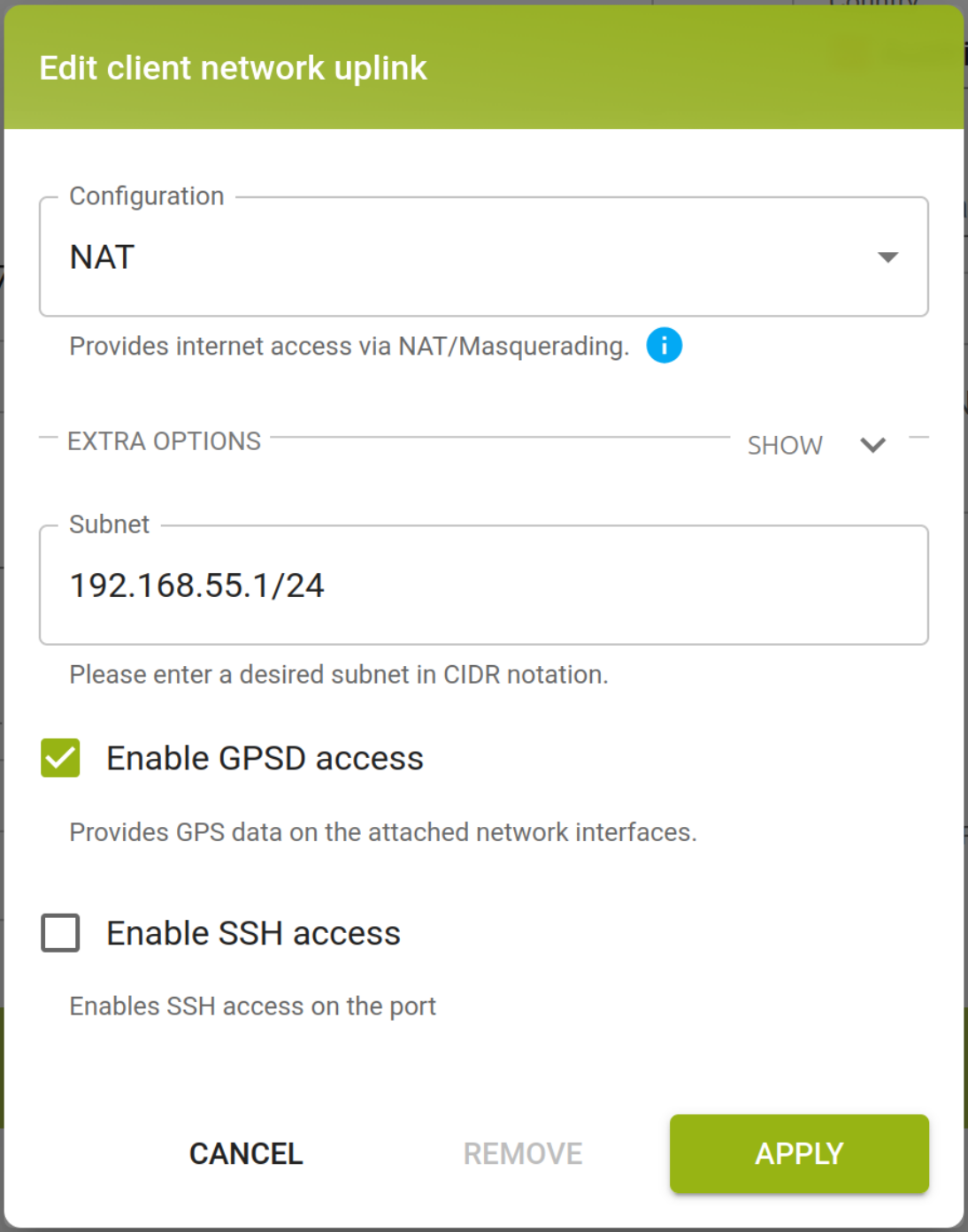
In the client network uplink configuration dialog, ☑ Enable GPSD access.
Save the device configuration.
Client network uplink dialog example for IP subnet 192.168.55.1/24:
GPSd access from attached devices
After GPSd access is enabled, GPSd is accessible on TCP port 2947 on the client network uplink IP address (e.g. 192.168.55.1).
Command |
Description |
|---|---|
|
Quick check to confirm TCP port |
|
Start streaming GPSd JSON updates over the connection. |
For container workloads, see GPSd access from containers.
GPSd notes and limitations
GPSd notes and limitations
GPSd may only be available if a supported GNSS device is installed and found.
GPSd may restart during runtime, client applications must automatically reconnect.
If you attach a container with
access_gpsd_enabled: trueto a client uplink network,
GPSd access will be enabled for all client networks or containers connected to the same client network uplink.